Key takeaways
- Built a private, permission-based family foundation in the database and app — no visible feature yet, but the groundwork for sharing safely with a partner or nanny later.
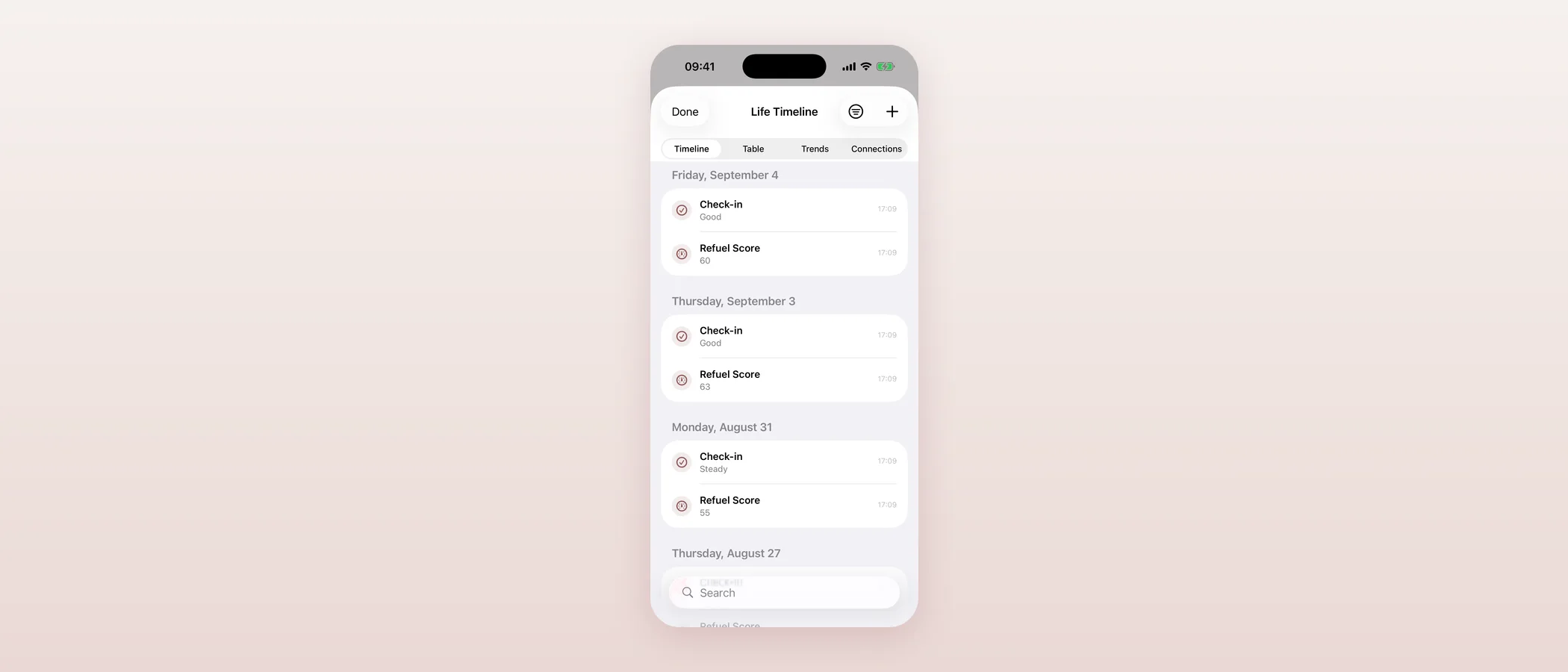
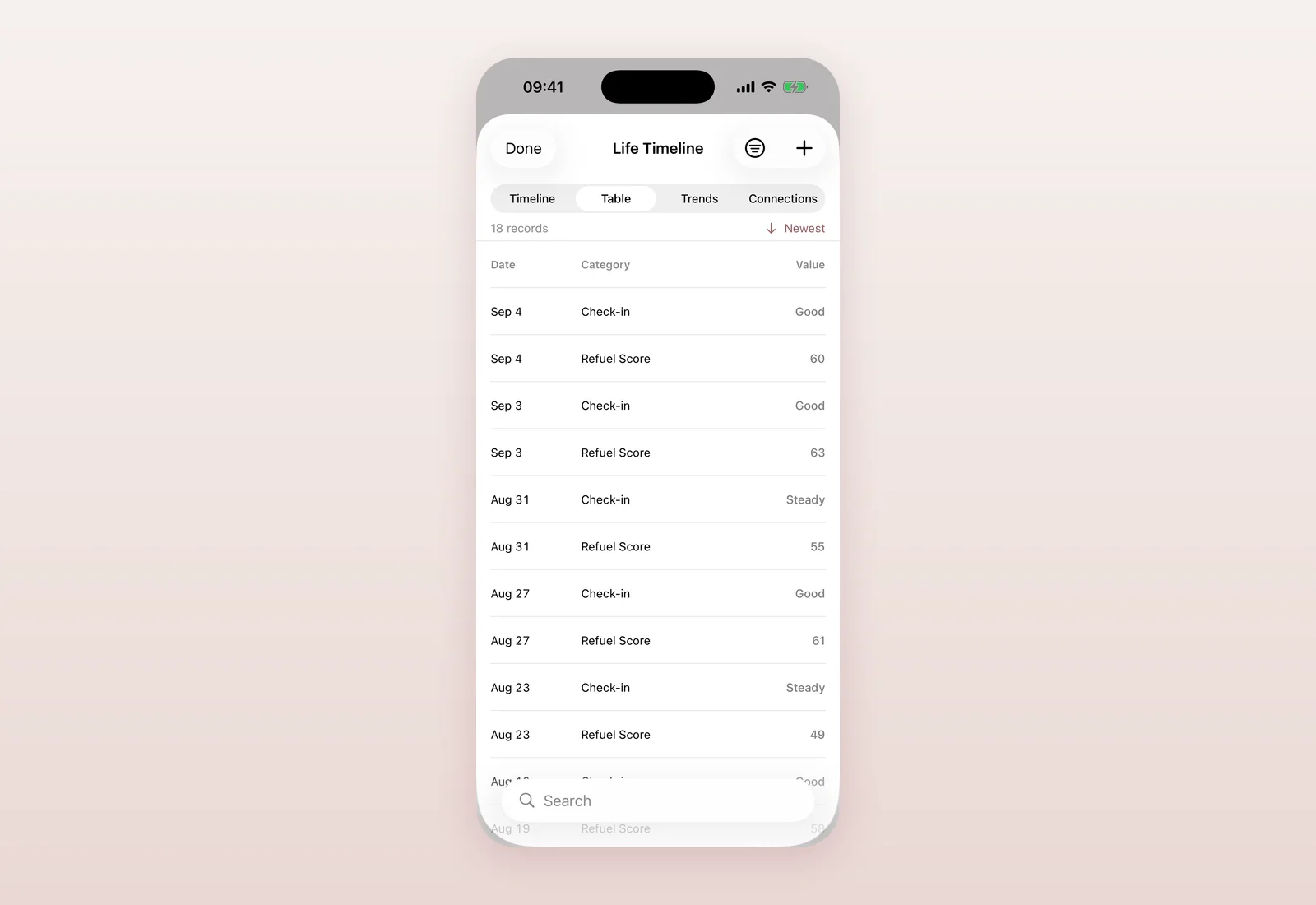
- Shipped a full Life Timeline behind a feature flag: one private place for check-ins, scores, journal entries and your own life events, with day, table and trend views.
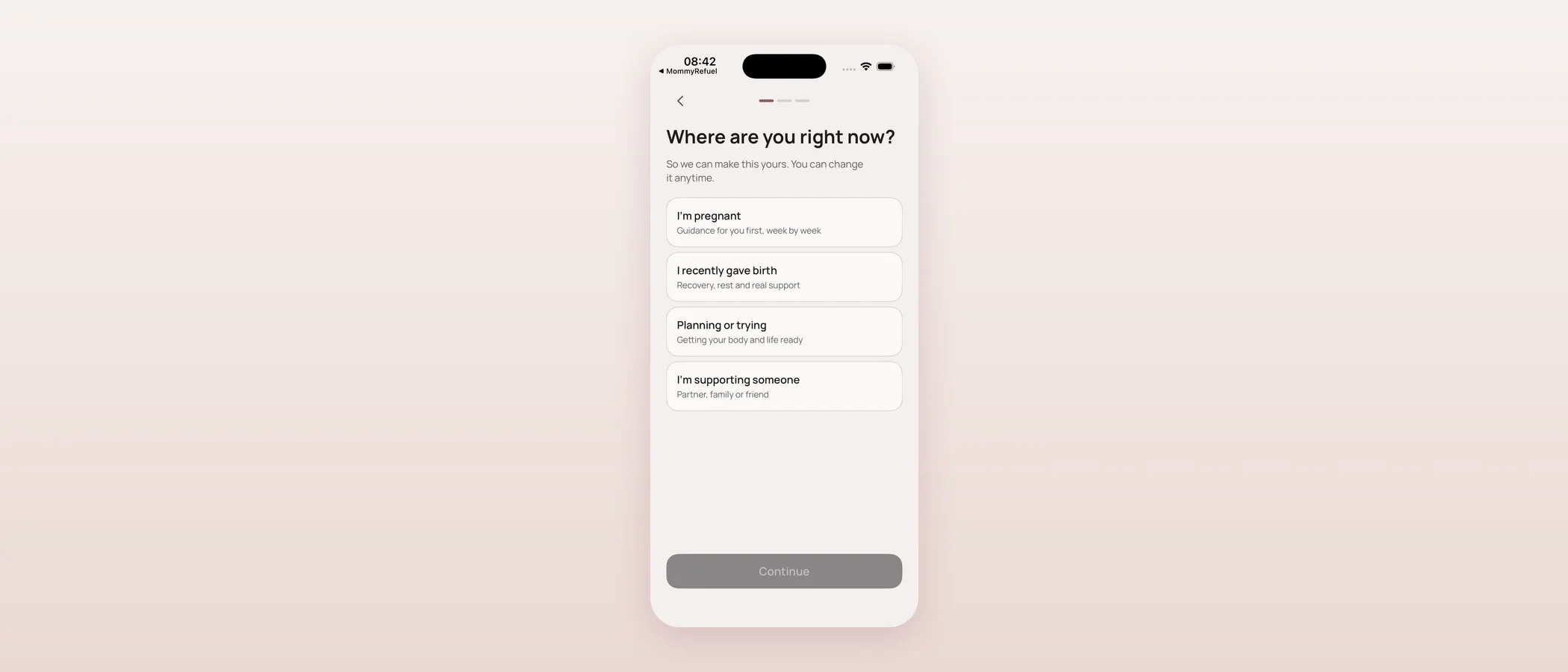
- Redesigned the Profile tab into a calmer 'You' screen and rebuilt onboarding to lead with Sign in with Apple rather than defaulting to a guest.
- TestFlight build 8 (1.4.0) shipped the family foundation; build 10 followed; build 11 fixed an App Review rejection over a missing demo account.
- Built our own small App Store Connect tooling to update the listing description, keywords and review notes without waiting on anyone else's dashboard.
A family foundation nobody can see yet
Mommy Refuel has been a single-user app so far: your check-ins, your Refuel Score, your journal. I know that will not stay true — a lot of what mothers ask for is about sharing safely with a partner, a nanny, or people who help with a baby. Rather than bolt that on later and rewrite everything, I spent the first part of 2026-09-03 building the foundation underneath: families, memberships with roles, and children, all in the database, with nothing visible in the app yet.
The part I care about most here is the default: nobody automatically gets access to anything. No role starts with permission to read your wellbeing data or your health data — every capability has to be explicitly granted, checked on the server every time, never trusted just because the app on someone's phone says they have it. I added protections against the obvious ways this kind of system goes wrong: nobody can quietly promote themselves, nobody can swap their own role, and a family can never lose its last primary parent by accident. This all shipped as pure foundation — existing users saw no change at all, and 196 automated tests (11 new) checked the sharp edges: that a guest account can migrate into a real one without losing its identity, that a revoked person really does see nothing, that private-by-default actually holds.
Life Timeline: one place for the whole story
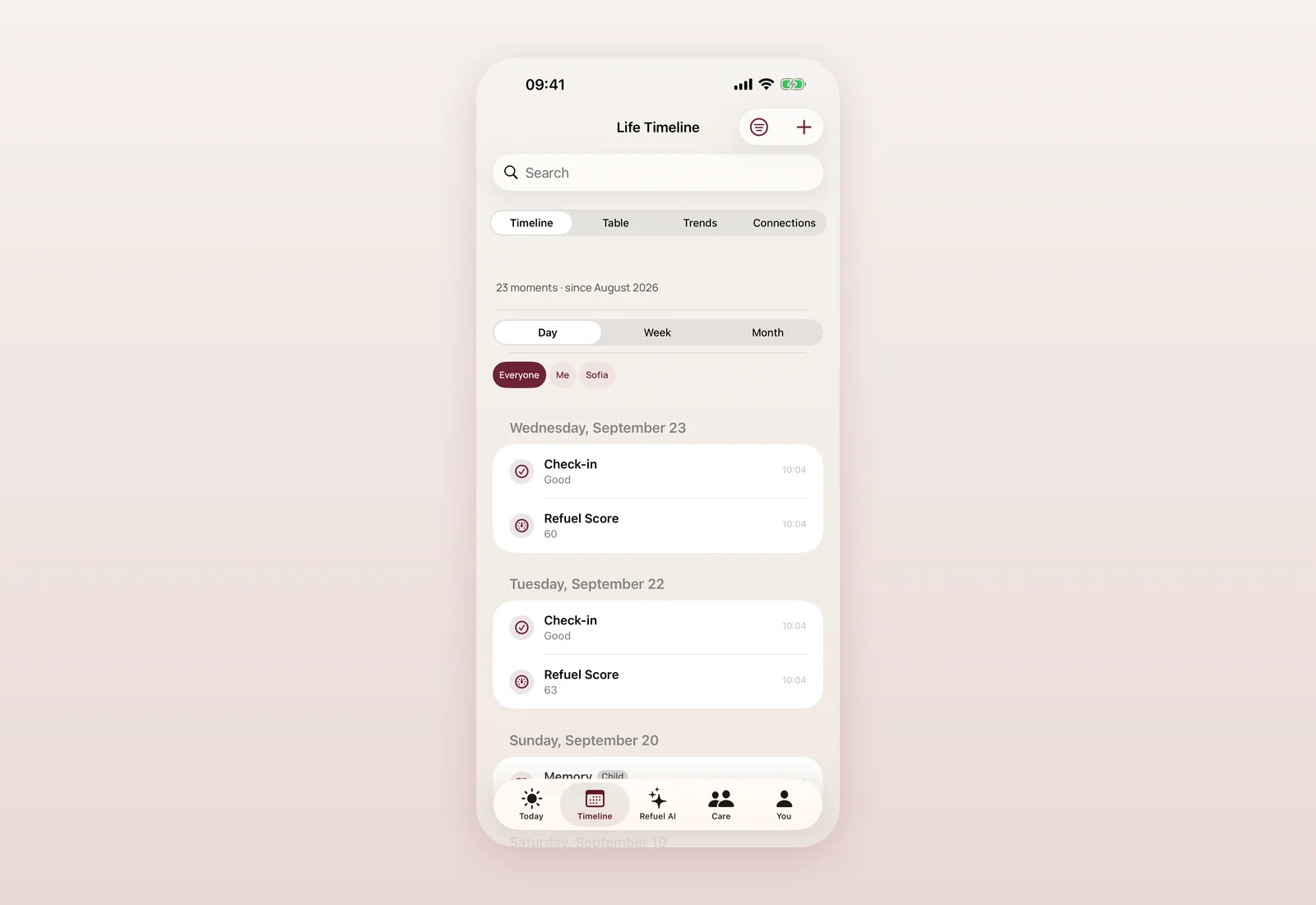
Later that morning I shipped something bigger: a Life Timeline, sitting on top of the existing app without changing anything already there. The idea is simple to say and took real care to build honestly — your check-ins, your Refuel Score history, your journal, your recovery notes and your cycle tracking already exist as separate features; the timeline pulls them together into one private, chronological view, without duplicating any of that data in storage. Nothing about how those features already work changed underneath it.
On top of that read-only view, you can add your own events — anything from a milestone to a note about how a particular stretch felt — organized into life periods you define yourself (say, "third trimester" or "back at work"), each with its own privacy level. Deleting a period never deletes the events inside it; they simply lose that grouping, which felt like the only honest way to handle it. Inside the timeline there are four ways to look at the same data: a day-by-day feed with filters and search, a table view, a trends view built on real charts that also tells you honestly when there is not enough data yet or where you have gaps, and a "connections" view that looks for statistical relationships in what you have recorded. I want to be very precise about that last one: it is a fixed statistical calculation, never a language model, it requires a minimum amount of data before it will say anything, and every result carries a permanent line: "this does not establish a cause." A wellness app suggesting causation it cannot support is a real harm, and I was not willing to risk it for a feature that looks impressive in a demo.
Life Timeline shipped behind a feature flag, on internally for testers, with thirteen new automated tests covering the parts most likely to go wrong quietly: old saved data still loading correctly, deleted periods correctly keeping their events, the statistical view correctly refusing to claim causation, and categories that must always stay private actually staying private.
Profile becomes You, and onboarding leads with sign-in
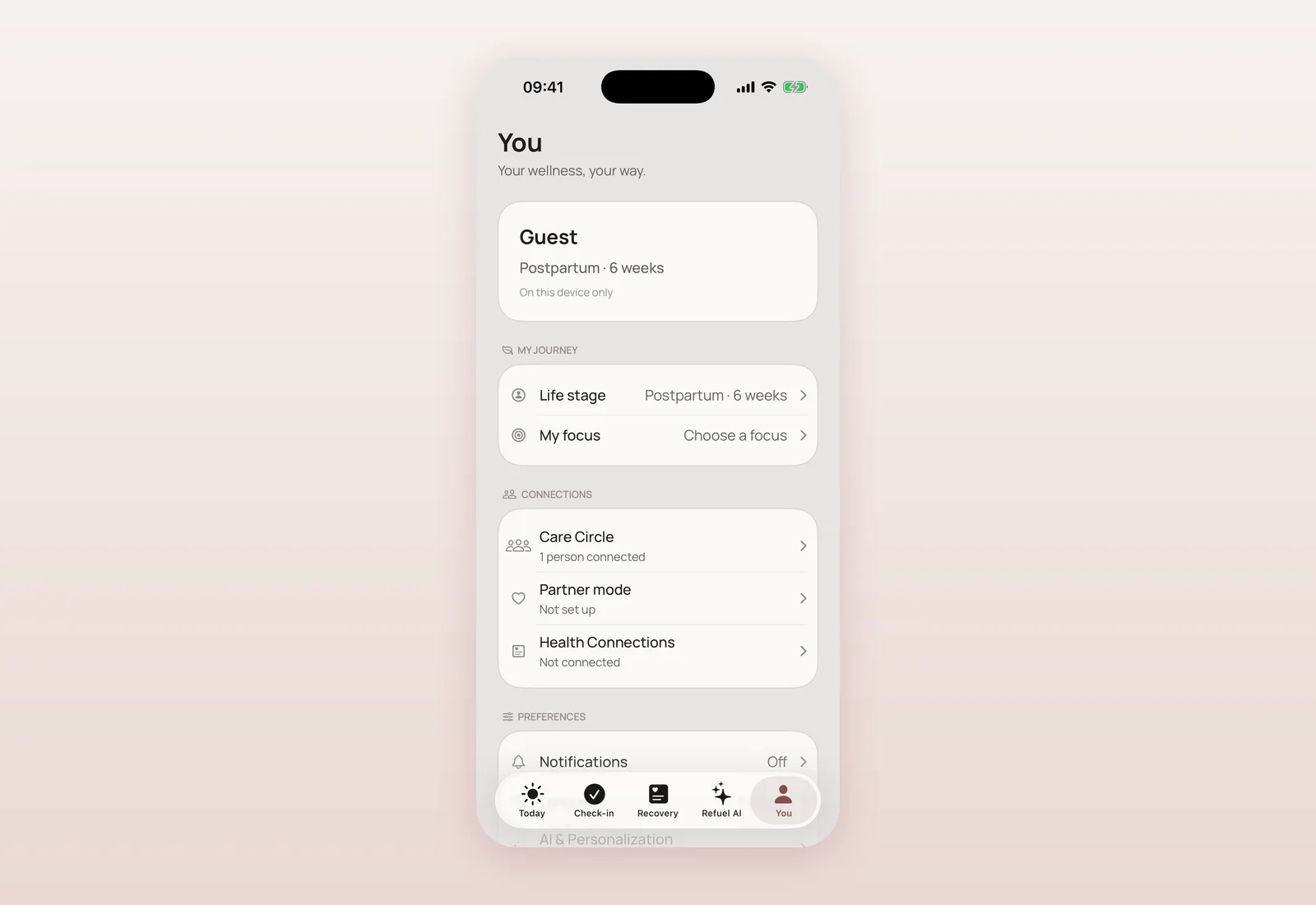
Later in the day I reworked two things that shape a person's very first minutes in the app. The old Profile tab was becoming a pile of settings; I rebuilt it as a calmer "You" screen organized around what it actually contains — your journey, your connections (Care Circle, Partner mode, Health), your preferences, your privacy and account, help. And I rebuilt onboarding itself: it now leads with Sign in with Apple as the natural path, with continuing as a guest offered as a clearly secondary, deliberate choice rather than the default. Returning users are routed from their real session, not just a flag, so nobody who already finished onboarding sees it again, and anyone who had already chosen guest mode under the old flow keeps that choice rather than being forced through sign-in retroactively.
Build 8, then 10, then a rejection, then 11
Build 8 (version 1.4.0) shipped the family foundation described above on top of the already-live build 7. Two builds later, build 10 went up as a checkpoint after the You tab and onboarding rework. App Review then rejected build 9 under guideline 2.1.0, because an app offering Sign in with Apple is expected to provide a demo account for reviewers — exactly the kind of detail that is easy to miss when guest mode feels like an obvious workaround to a human, but not to an automated review step. I fixed this at the source: strengthened the App Review notes to say explicitly, in plain terms, that no login is required at all, since guest mode already offers full local functionality through "Continue without an account." Build 11 shipped with that fix and was uploaded and attached to the version.
While I was in App Store Connect, I also built a small, dependency-free script that talks to the App Store Connect API directly — no external service, just a JWT signed with our own key — so I can update the app's description, keywords (added "postpartum"), and promotional text myself, from the terminal, instead of waiting on a web dashboard every time something needs a small correction.
Where and when
- 2026-09-03, 00:37 — Family/role foundation: families, memberships, children in the database, private by default, role-escalation protections, 11 new tests, no visible UI change (ead809a).
- 2026-09-03, 06:29 — TestFlight/App Store build 8 (1.4.0), shipping the family foundation (f3a5fba).
- 2026-09-03, 07:53 — Life Timeline vertical slice shipped behind a feature flag: unified event model, day/table/trends/connections views, non-causal statistics only, 13 new tests, 0 regressions in 210 existing tests (fa92651).
- 2026-09-03, 07:58 — Pull request #3 (feat/life-timeline) merged into main (dd92f95).
- 2026-09-03, 12:41 — Profile tab redesigned into "You": summary card, journey, connections, preferences, privacy, help (1d1161a).
- 2026-09-03, 12:57 — Onboarding rebuilt auth-first: Sign in with Apple leads, guest is a deliberate secondary choice, real-session-based routing, 256 tests passing (2ff2c2d).
- 2026-09-03, 12:59 — Pull request #7 merged into main (328c6ea).
- 2026-09-03, 13:34 — TestFlight build 10: export config and tester notes for the auth-first onboarding and You tab (613654b).
- 2026-09-03, 16:36 — TestFlight/App Store build 11: fixes App Review's 2.1.0 rejection of build 9 (missing demo account) with clarified review notes; App Store Connect scripting tool added for description/keywords/promo text (b5c59ab).
What this means if you use the app
If you opened the app fresh after this day, the first thing you saw was different: a proper invitation to sign in with Apple instead of a quiet drop into guest mode. If you had already been using the app, nothing about your experience changed unless you go looking for the You tab's new layout — your data, your guest status if you chose it, none of it was disturbed. Life Timeline is not visible yet outside internal testing; when it ships publicly, it will be the same feature described here, not a stripped-down version, because the honest statistics guardrail and the private-by-default rules were built in from day one, not bolted on before release.
Questions mothers ask
Can I share my Mommy Refuel data with a partner or nanny yet?
Not yet. This update built the private, permission-based foundation for family sharing in the database and app, but there is no visible sharing feature in the app yet. Nothing is shared with anyone by default.
What is Life Timeline?
A private, unified view of your check-ins, Refuel Score history, journal, recovery notes and cycle tracking, plus your own custom events, organized into life periods you define. It is currently behind a feature flag for internal testing.
Does the Timeline's 'Connections' view use AI to find patterns?
No. It uses a fixed statistical calculation (a correlation measure), never a language model, requires a minimum amount of recorded data, and always shows a permanent disclaimer that it does not establish cause and effect.
Why was build 9 rejected by Apple, and how was it fixed?
Apple's App Review flagged that an app offering Sign in with Apple should provide reviewers a demo account. The app already offers a full-featured guest mode requiring no account at all; build 11 clarified that explicitly in the App Review notes rather than adding a demo account that would not reflect how real users use the app.
Is signing in now required to use the app?
No. Sign in with Apple is now the path onboarding leads with, but continuing as a guest is still fully available and keeps every local feature working.

Product designer and engineer from Kyiv who designed and built Mommy Refuel end to end. CTO at Kyiv Academy of Media Arts, founder of seven a.m. He writes every product update here: what shipped, where and when.
About SerhiiAvailability can vary with the installed app version. Statuses are founder-confirmed at the time of writing.