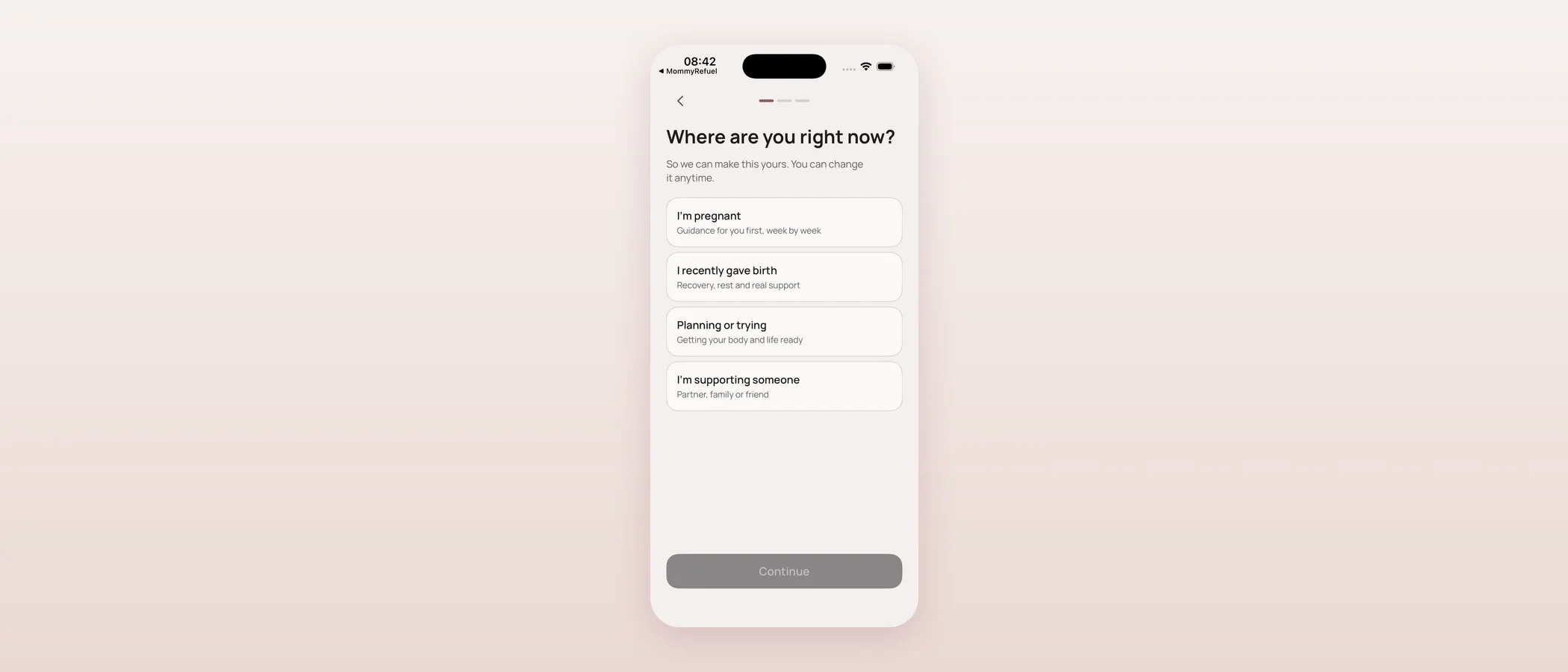

Key takeaways
- A new "What's next" layer shows honest feature statuses (live, pilot, coming next, in development, exploring) without turning the app into a coming-soon catalogue.
- Interest in a future feature is stored only on your device, never transmitted, and wiped by Delete Everything.
- Mommy Refuel Care Network is a new pillar for finding professional and community support — consent-first, trust before transactions.
- Care Network shipped in the app as a real, tested P0 build, but it is gated to internal/beta visibility, not visible to everyone yet.
- A companion Care section on the website (17 pages) explains the vision honestly, without claiming partners or verification we don't have.
Where and when
Both features shipped on 2026-09-12, right after the App Store launch:
- 10:17 — progressive rollout: feature status, roadmap and a device-local "interest" layer merged into the app (820ca0d, merged 10:23 as dcbae02).
- 11:05 — Mommy Refuel Care Network: app P0 plus a full website vision, merged at 11:10 (1865e98, 8cd7bbf).
- 13:07 — launch-week brand follow-ups closed out: the site's Open Graph share image and Apple touch icon were regenerated (they still said "TestFlight beta" and used the retired heart mark), a one-command icon generator script was added, and a build-time guard now fails CI if a drawn or emoji heart mark ever ships again (357055e, #22).
Care Network in the app is currently gated to internal and beta builds — it is not visible to everyone on the live pilot yet.
Why a roadmap layer, and why not "coming soon"
I don't like apps that feel like a brochure for a product that doesn't exist yet. At the same time, a wellbeing app that only shows what's finished today hides a real question mothers ask: is this thing actually being built, or is it done? So today I added a layer that answers that honestly, without letting it dominate the screen.
It uses one status vocabulary everywhere: LIVE, PILOT, COMING NEXT, IN DEVELOPMENT, EXPLORING. No "coming soon" — that phrase promises a date I don't have. Each status has its own soft visual tint, so you can tell at a glance what's real today versus what's still an idea.
How it shows up in the app
The live product stays visually dominant. Below it, on Today and inside a dedicated Roadmap screen, up to three relevant, dismissible feature cards surface — chosen deterministically based on where you are (life stage), never by an algorithm guessing at you, and never using AI. Tap a card and you get a full preview: what it will do, why it matters, how it connects to what you already use, what it can concretely do today, and an honest "not available yet" where that's true.
If something interests you, you can tap "I'm interested" or "Not now." If you want to be told when it ships, you can tap "Notify me" — and only then does the app ask for notification permission. Nothing is scheduled behind the scenes, because I don't want to promise a date I might miss.
Your interest never leaves your phone
Whether you tapped interested, dismissed, or asked to be notified about a feature is stored only in this device's local settings. It is never transmitted anywhere, including to me. The value-free analytics events this layer fires (things like "a roadmap card was viewed") tell me that the roadmap is being used at all — they never tell me which feature, or who. And all of it is wiped the moment you use Delete Everything.
Underneath the UI sits a data-driven roadmap catalogue, organized in waves, with a remote-override option that fails safely back to the built-in defaults if anything goes wrong. Eighteen new tests cover the catalogue's integrity, the visibility gating, the deterministic discovery logic, and the fail-safe remote config.
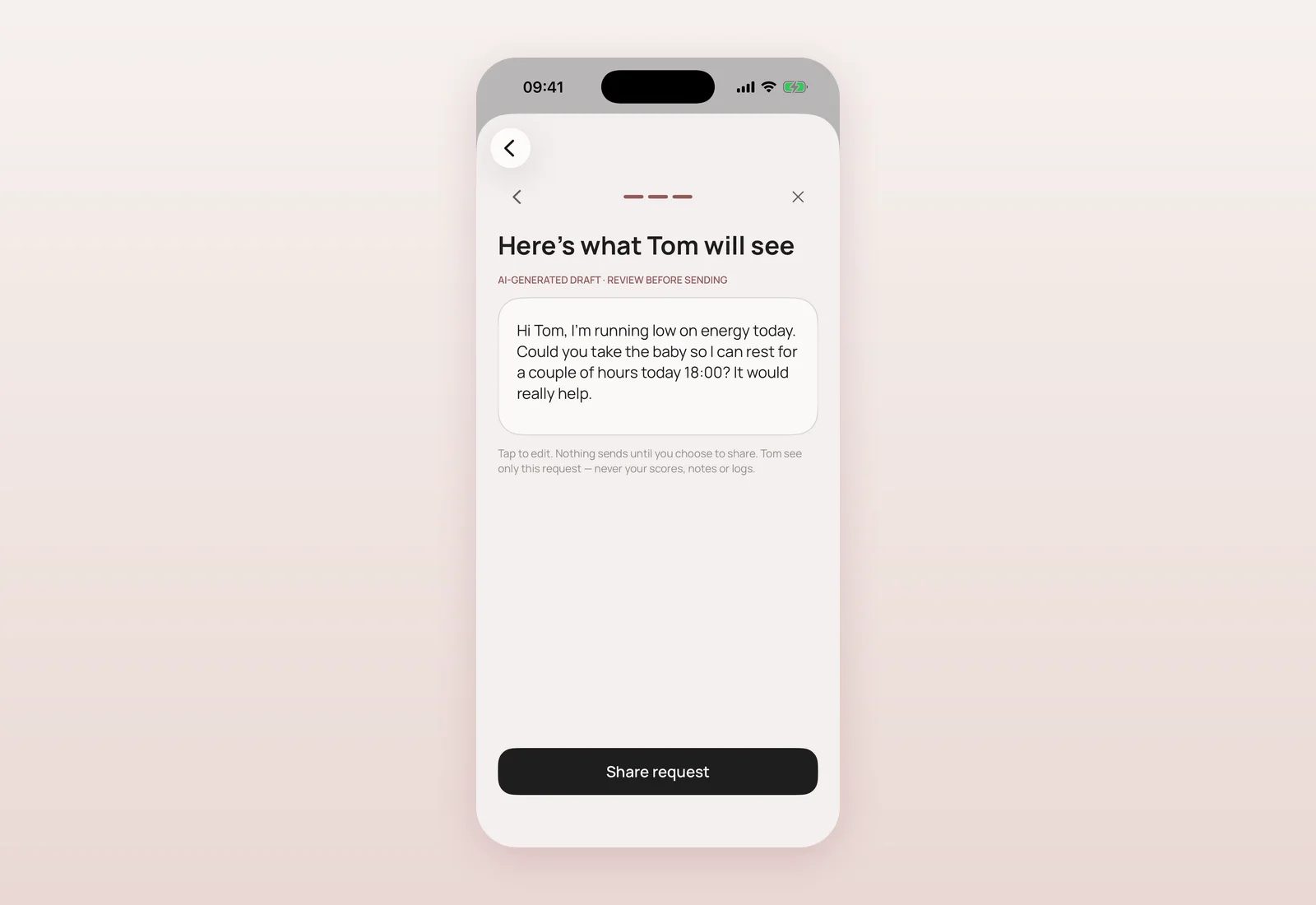
Mommy Refuel Care Network
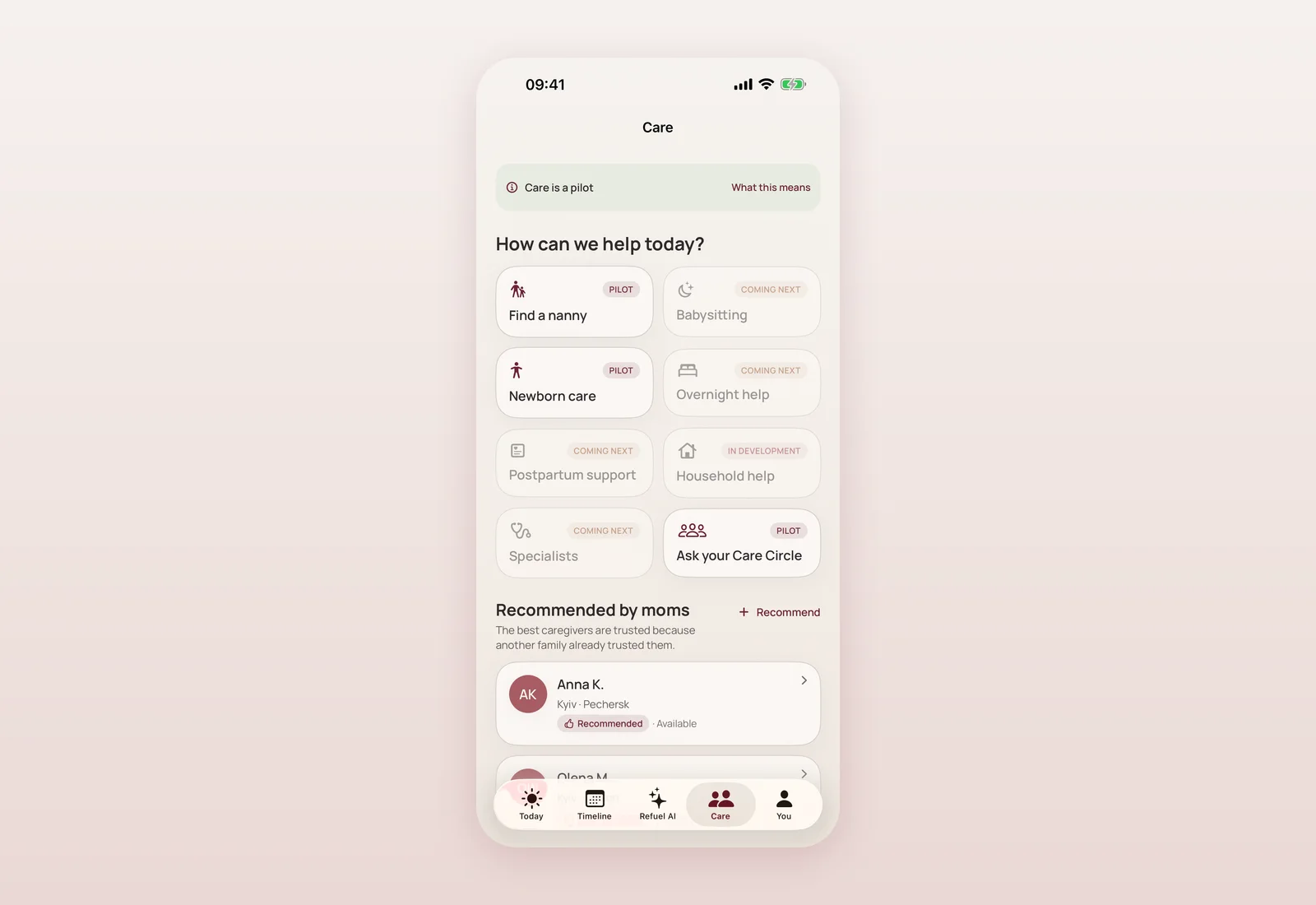
The second thing I shipped today is bigger: a new major area of the product called Care Network. The idea is simple to say and hard to build responsibly — combine professional and partner support with recommendations from other mothers, so that finding a lactation consultant, a postpartum doula, or just someone who's "been there" doesn't mean starting from zero on a search engine.
The core principle is trust before transactions. There is no payment, no booking, and no claim of identity verification I can't back up. What exists today: a Care home screen ("How can we help today?"), discovery with filters, caregiver profiles that show real trust signals, a controlled way to request an introduction or contact, a "recommend someone" flow for mothers who want to pass along a good experience, and a way to report a concern.
What Care Network does and doesn't share
No health, cycle, or journal data is ever sent to a provider through Care Network — the whole feature is built around consent-gated recommendations, not data sharing. Reports stay private. The value-free analytics firewall applies here too: fourteen new analytics events track engagement, none of them carry care-request content. And like everything else in the app, Delete Everything clears your Care Network data along with it.
The app side landed with sixteen dedicated tests, English and Ukrainian localization, and (for internal testing) DEBUG-only demo data that never ships in a release build.
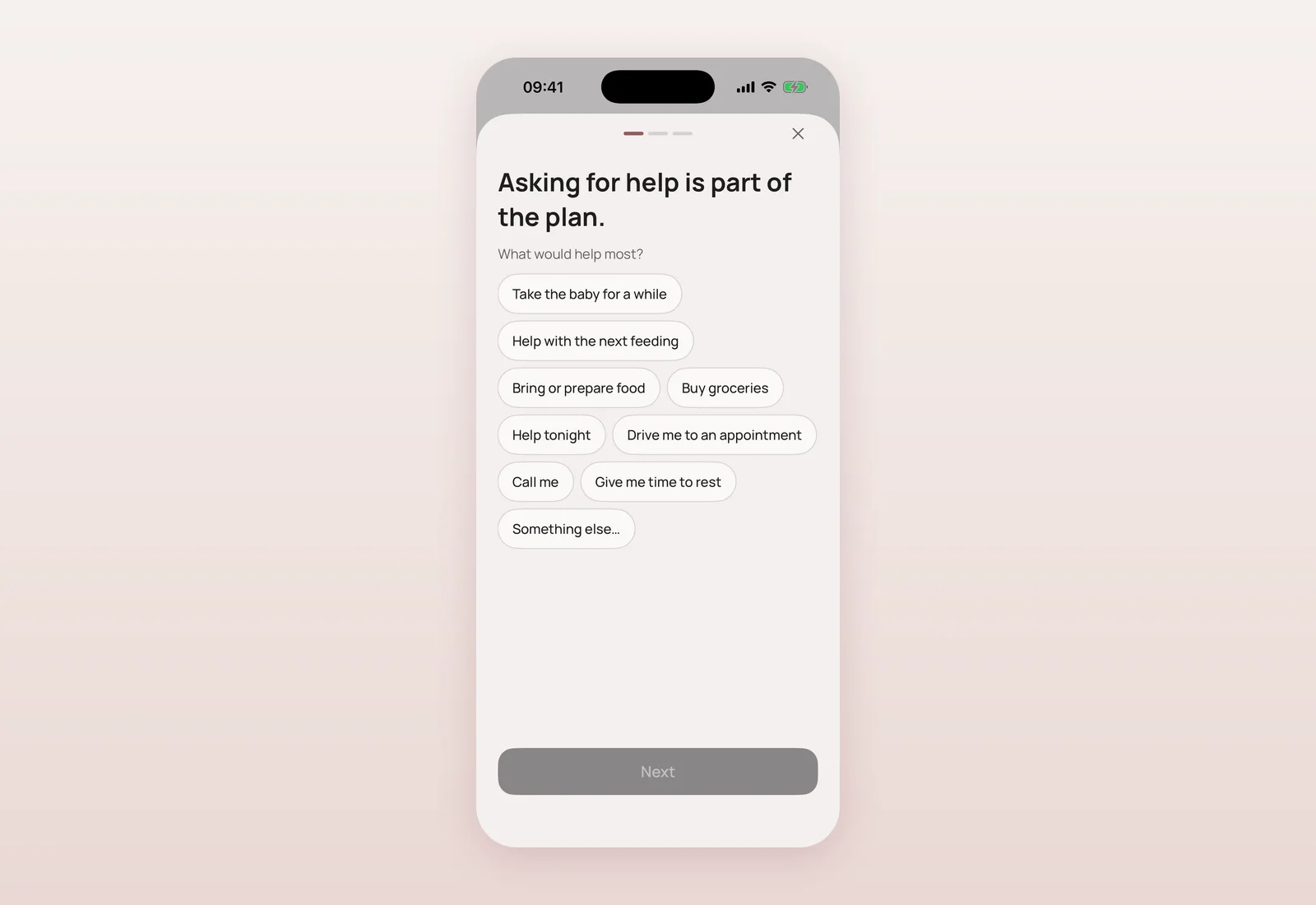
Why it's gated instead of visible today
Care Network is real, tested code — not a mockup — but it's switched on only for internal and beta builds right now, not for everyone on the live App Store pilot. That's deliberate. A feature this sensitive (people asking other people for help around their new baby) deserves a slower, more careful rollout than the main app did. The same progressive-rollout system from earlier today controls exactly who sees it, so it can widen by configuration later, without a rewrite.
The website tells the same honest story
Alongside the app work, the site gained a full /care hub and seventeen leaf pages, in English and Ukrainian, describing the Care Network vision — what exists, what's planned, and what's still a placeholder. I was careful not to claim availability, verification, or partnerships that don't exist yet; a detailed internal document (not published) tracks exactly what's real versus placeholder so nobody on the team accidentally oversells it later.
Closing out launch-week brand polish
A small housekeeping note from the same afternoon: while auditing the brand fix from this morning, I found the site's shared social-preview image and the home-screen icon used when someone saves the site to their phone were both stale — one still said "TestFlight beta" and used the old heart mark, the other was a low-resolution copy. Both were regenerated from the real 1024px master icon, a one-command script now generates every derivative from that single source, and an automated check now fails the build if a drawn or emoji heart mark ever sneaks back into shipping code.
Questions mothers ask
Can I see Mommy Refuel Care Network right now?
Not yet if you're on the public App Store pilot — it's currently limited to internal and beta builds while it's rolled out carefully.
Does the roadmap layer use AI to guess what I want?
No. Which cards you see is decided by simple, deterministic rules based on your life stage, not by an algorithm or AI.
If I tap "I'm interested" on a future feature, does that go anywhere?
No. It's stored only on your device and is never sent anywhere, including to us.
Does Care Network share my health or journal data with providers?
No. Care Network is built around consent-gated recommendations only — no health, cycle, or journal data is ever shared with a provider.
Is Care Network a booking or payment platform?
No. There's no payment or booking today. It's about trustworthy discovery and introductions, not transactions.

Product designer and engineer from Kyiv who designed and built Mommy Refuel end to end. CTO at Kyiv Academy of Media Arts, founder of seven a.m. He writes every product update here: what shipped, where and when.
About SerhiiAvailability can vary with the installed app version. Statuses are founder-confirmed at the time of writing.