

Key takeaways
- 17 August 2026, daytime (17:09–18:55): nine features shipped in sequence, forming v1.1 and v1.2 of Mommy Refuel.
- Refuel AI is an optional backend-proxied assistant with an offline mock fallback — no provider secret ever sits on the device, and a safety gate runs before anything reaches it.
- A private, file-protected Journal, a shareable Care handoff for a nanny or caregiver, and a Care hub with a clearly-labelled sample nanny directory (not a real bookable service yet).
- A deterministic Weekly Refuel Report and Insights engine, a Care Circle of trusted contacts, a Privacy & data Center, and the first version of the maternal timeline (pregnancy, birth, postpartum, cycle).
- Every one of these strings shipped in English and Ukrainian on the same day.
Where and when
All of this landed in the app's codebase across one working day, 17 August 2026, between 17:09 and 18:55:
- 17:09 — Refuel AI networking layer + private Journal + a score-ring display fix (ca67267)
- 17:15 — Care handoff, a shareable note for a nanny or caregiver (746844c)
- 17:22 — Nanny search scaffold + Care hub, with clearly-labelled sample data (92b28d2)
- 17:41 — Weekly report, insights engine, action outcomes, postpartum + AI context (c1851ef)
- 17:51 — Care Circle, Privacy Center, evening reflection, plus 28 new unit tests (f14c75a)
- 17:58 — Full Ukrainian localization for the day's work, plus groundwork for Health data and widgets (727b4db)
- 18:15 — Personal baseline, activation tracking, Refuel AI acting as a navigator, and a 2-minute reset exercise (1f956d6)
- 18:24 — Contextual notifications, beta feedback flow, a shareable weekly PDF, and a real (opt-in) HealthKit provider (5997245)
- 18:28 — Hardened TestFlight readiness plus full Ukrainian for v1.1 (58b41ad)
- 18:40 — Maternal timeline foundation: life stage, pregnancy, birth, cycle (488b2f4)
- 18:45 — Maternal AI context, cycle-and-score insights, cycle-aware recommendations (cfdd057)
- 18:49 — Complete Ukrainian for v1.2, docs, and a verified build/archive (da3eedf)
- 18:55 — A reliability fix: Profile now uses a single enum-driven sheet instead of several stacked ones (1b77a79)
This was all local, on-device work — nothing was pushed to TestFlight or the App Store yet. That comes later, covered in a subsequent post.
Refuel AI: an assistant that respects the device boundary
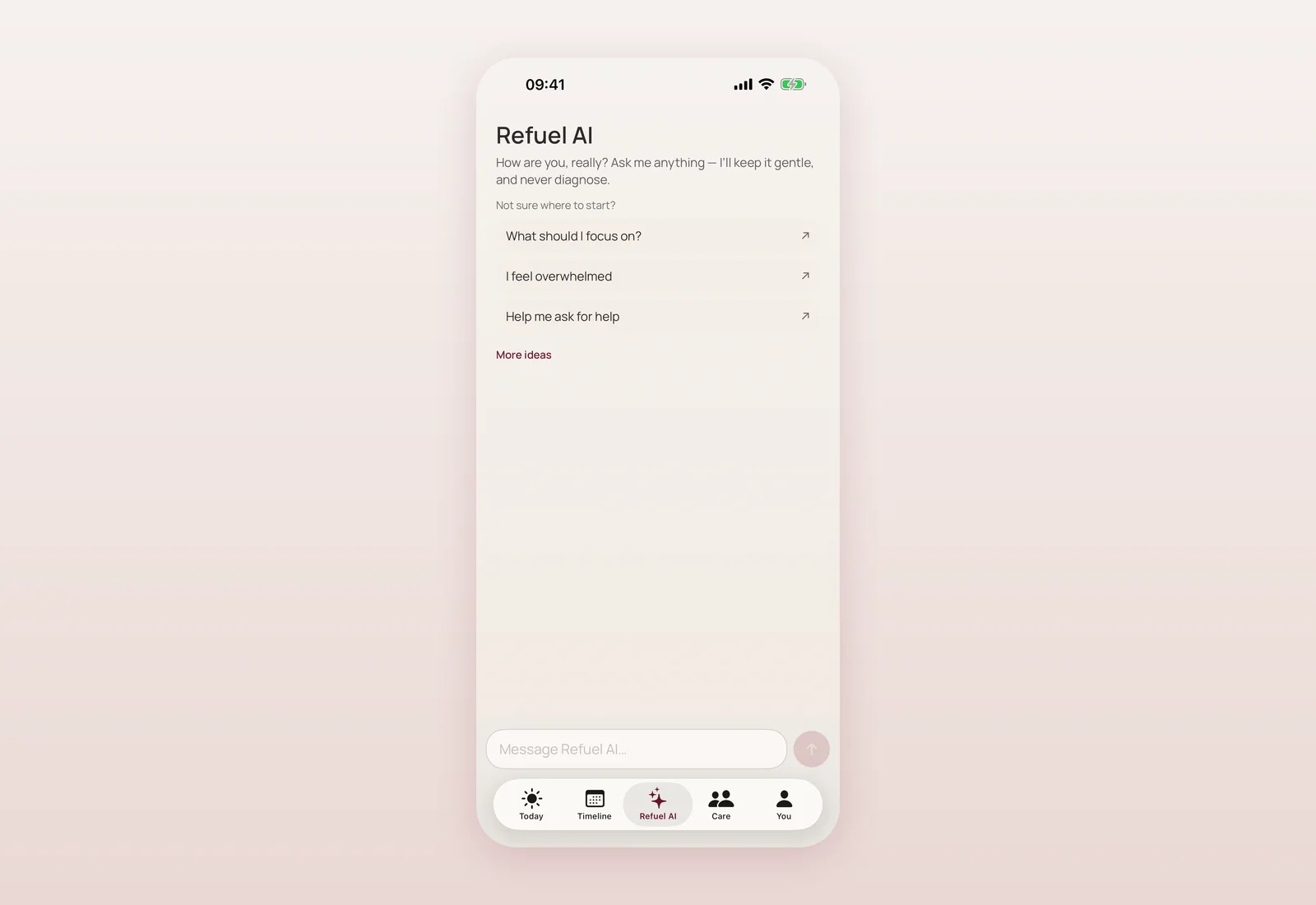
The first big piece of the day was Refuel AI — an optional assistant that calls a backend proxy rather than talking to an AI provider directly from the phone. If the backend is unreachable or unconfigured, the app quietly falls back to an offline, on-device mock, so the experience never breaks. No AI provider secret is ever stored on the device, and a safety pre-gate runs before any message is sent — a boundary I kept true throughout everything that came after.
For a mother using the app, this means: Refuel AI is there when you want a second perspective, it never requires a connection to function at all, and it can never see anything the safety gate has flagged as urgent — that content is routed to support resources instead, not to the assistant.
A private Journal, and handing off care without oversharing
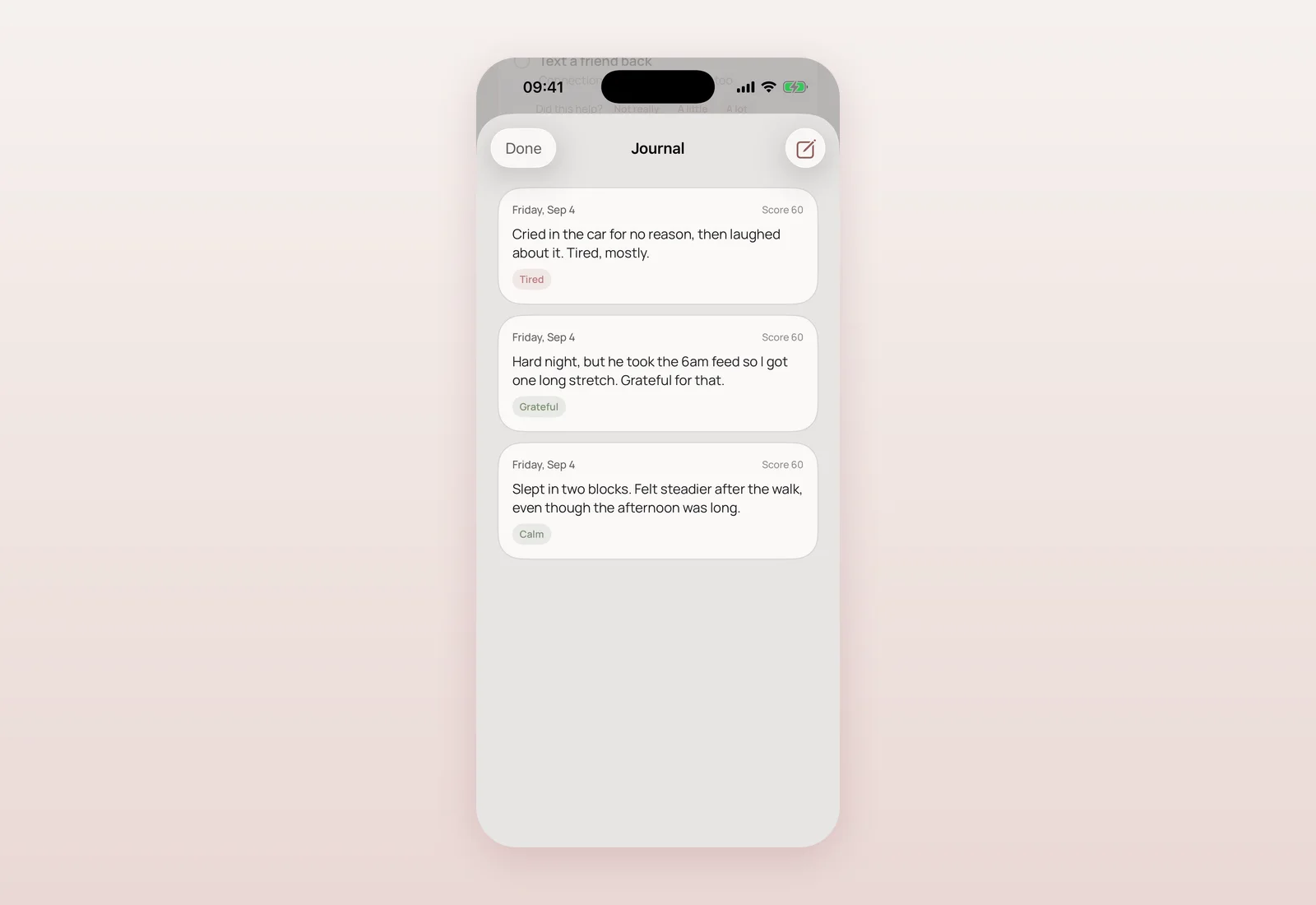
The Journal is exactly what it sounds like: private, file-protected notes with mood tags, linked to that day's Refuel Score, never sent to AI or analytics. It's for the things you want written down and nowhere else.
Care handoff solves a very specific, very real problem: you need to leave clear instructions for a nanny, a grandparent, or anyone stepping in — feeding, sleep, allergies, soothing routine, emergency contact — without handing over your whole journal. It composes a warm, plain-text handoff from only the sections you filled in, and nothing leaves the device until you tap Share through the native share sheet.
Alongside it, a Care hub groups Care handoff with an early nanny-search scaffold: a browsable list of caregiver profiles with search and tag filters. These are clearly labelled sample profiles for preview, with an honest "coming soon" on booking — nothing here was presented as a real, bookable service. Real listings need a backend and a vetting process, and that's on the roadmap, not shipped.
Weekly reports, insights, and a gentler kind of feedback loop
A deterministic Weekly Refuel Report followed — averages, trend, mood/energy/sleep, recovery, which actions actually helped, journal themes, and a next-week focus, with an honest empty state when there isn't enough data yet. Alongside it, a deterministic Insights engine surfaces one hedged, conservative observation on Today, and a simple "Did this help?" prompt on suggested actions feeds back gently into future recommendations — nothing here claims to predict or diagnose, it just reflects your own recent pattern back at you.
This is also where the data model itself got more careful: persisted state now decodes leniently, so a schema change (adding check-in history, action outcomes, day reflections, care contacts, a birth date) can never silently wipe an existing user's data.
Care Circle, a Privacy Center, and an evening reflection
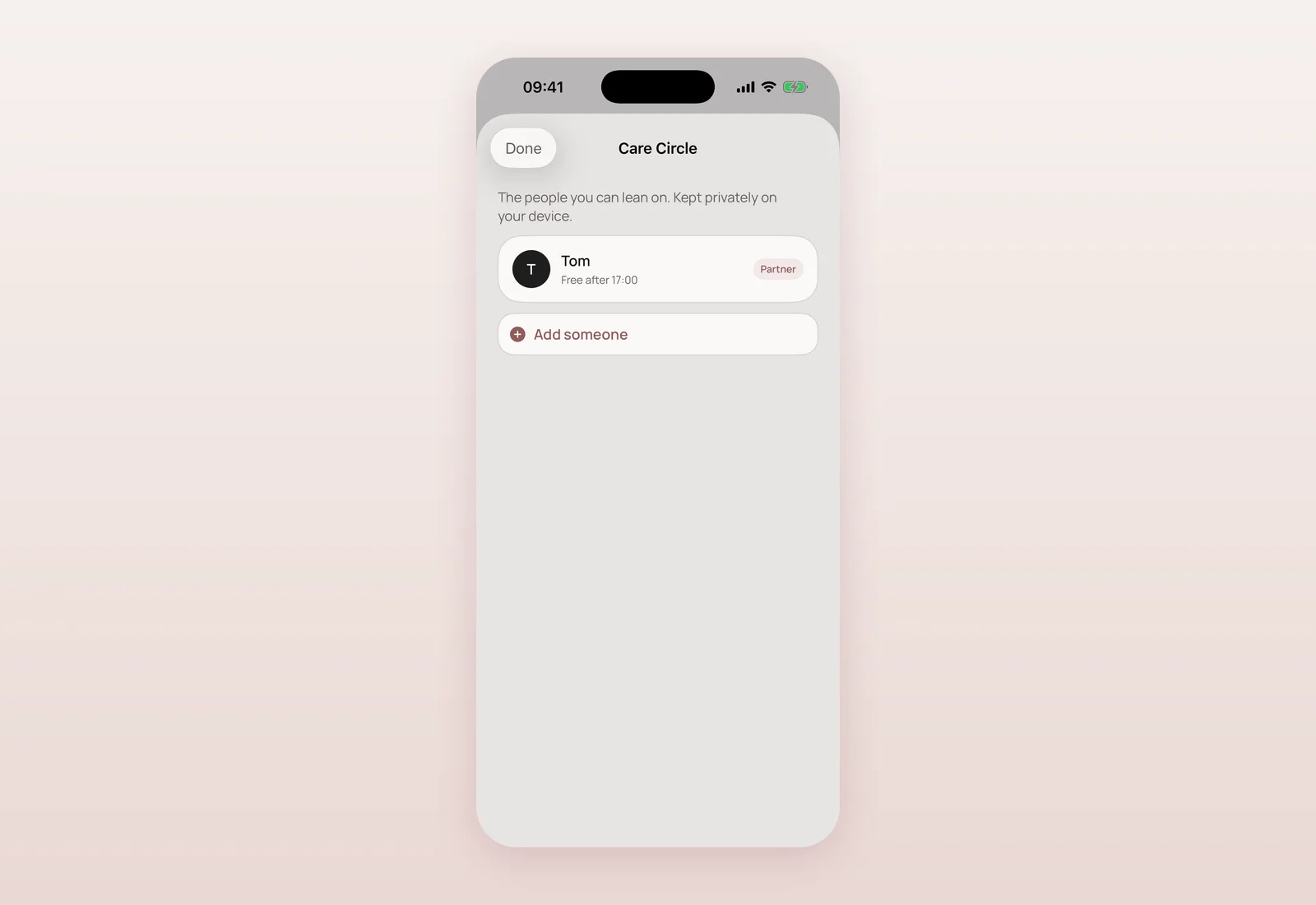
Care Circle lets you keep a list of trusted people — partner, family, friend, doula, doctor, other — that the app can suggest when you ask for help. The Privacy & data Center is a plain-language page explaining exactly what's stored on the device, what (if anything) reaches Refuel AI, and an honest note that Apple Health wasn't connected yet at this point. It reuses the existing data-export flow and a shared "delete all local data" function rather than inventing a second, less trustworthy path.
An optional evening reflection — "How did today actually feel?" — was added to Today, and the Refuel AI call became cancellable mid-request. 28 new unit tests landed the same day, covering postpartum logic, insight thresholds, the weekly report, recommendation adaptation, persistence migration, AI-context safety, and safety regressions — bringing the app to 40 passing tests by day's end.
The maternal timeline: pregnancy, birth, postpartum, cycle
The last big piece of the day was the foundation of the maternal timeline — a model for life stage, pregnancy, birth, feeding context and cycle tracking, all optional, sensitive, and file-protected. A pregnancy timeline service estimates gestational age and days to due date (preferring a doctor's date, then a manual one, then Naegele's rule from your last period, then conception date, in that order of trust). A cycle prediction service estimates your average cycle length and next period, with an honest "not enough data yet" state rather than a confident-sounding guess.
Birth and cycle-return are treated as genuine transitions: your history is kept, but a new "baseline epoch" opens so your personal baseline — what's normal for you — adapts to your new stage instead of comparing postpartum you to pre-birth you. Refuel AI's context gained the same coarse, privacy-respecting fields (life stage, gestational week, weeks postpartum, cycle day) with no raw dates or reproductive history ever included.
Full Ukrainian, on the same day
Every one of these features shipped with complete Ukrainian translations the same day — not as an afterthought weeks later. That mattered to me personally, and it's a pattern that holds for the rest of this changelog: localization ships with the feature, not after it.
Questions mothers ask
Was any of this in TestFlight or the App Store yet?
No. 17 August was local development work in the repository. TestFlight readiness work is covered in a later post.
Does Refuel AI ever see journal entries or health data?
No. It receives a structured, privacy-safe context (no raw notes or journal text), and a safety gate blocks anything urgent from reaching it at all.
Is the nanny search a real bookable service?
Not at this stage. It shipped with clearly labelled sample profiles and an honest 'coming soon' — a real, vetted directory needs a backend that didn't exist yet.
Is Apple Health connected at this point?
No, not yet as a live connection — the Privacy Center from this day says so honestly. A read-only HealthKit provider arrived the same day but wasn't the default.

Product designer and engineer from Kyiv who designed and built Mommy Refuel end to end. CTO at Kyiv Academy of Media Arts, founder of seven a.m. He writes every product update here: what shipped, where and when.
About SerhiiAvailability can vary with the installed app version. Statuses are founder-confirmed at the time of writing.